
Website Builder
Create a portfolio website online.
Edit, customize, and publish.
Create a portfolio website with a visual editor. Add your story, showcase your services, and shape every section around your work. Preview it on desktop and mobile before you publish.
Portfolio templates. Visual editing. Your own content.
BUILD A WEBSITE ONLINE
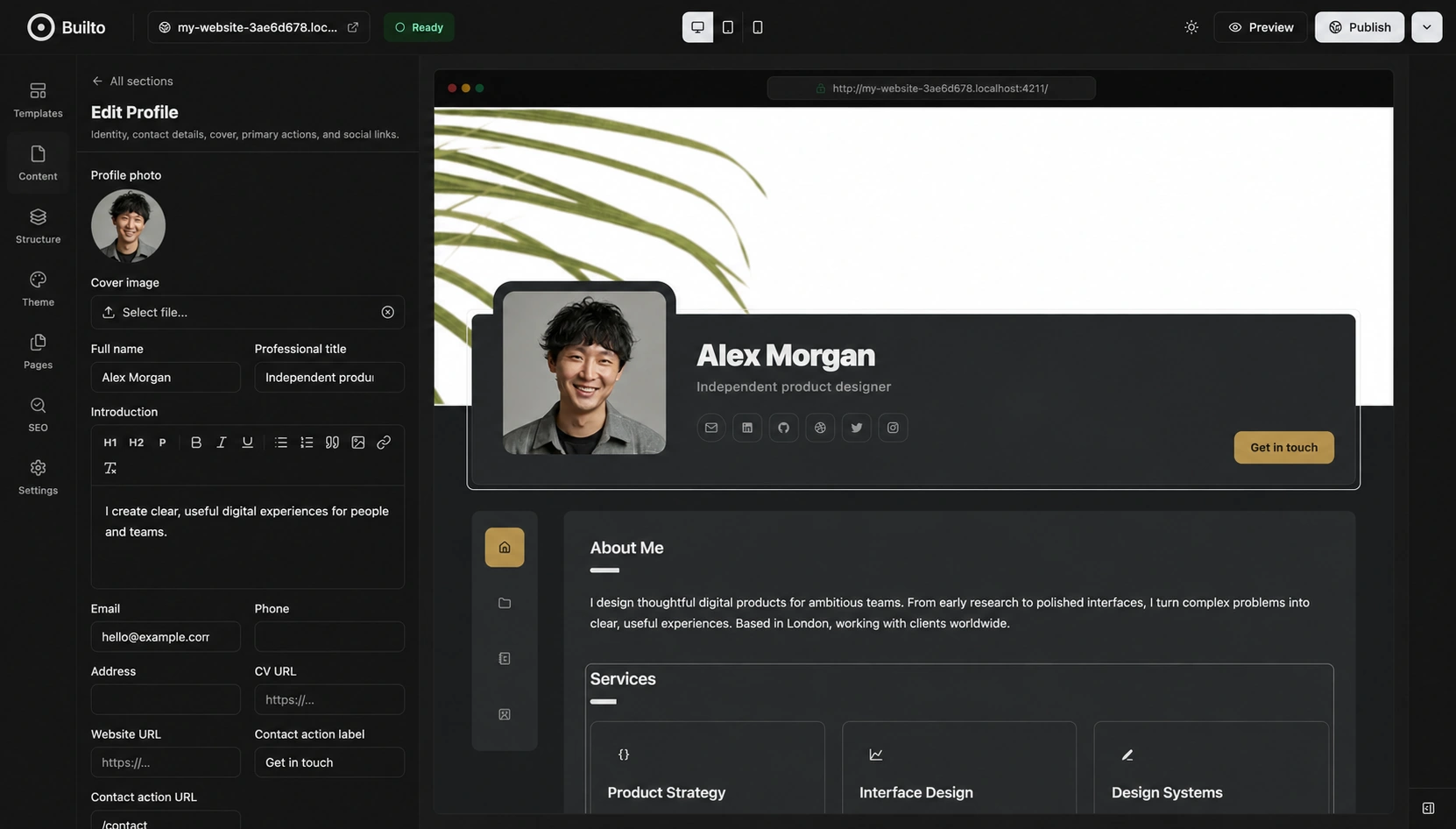
Edit your website content.
A personal website gives your work a place beyond a social profile. Use Builto’s content editor to bring your introduction, services, projects, and contact details into one portfolio.
WEBSITE TEMPLATES & CUSTOMIZATION
Choose a website template.
Make it your own.
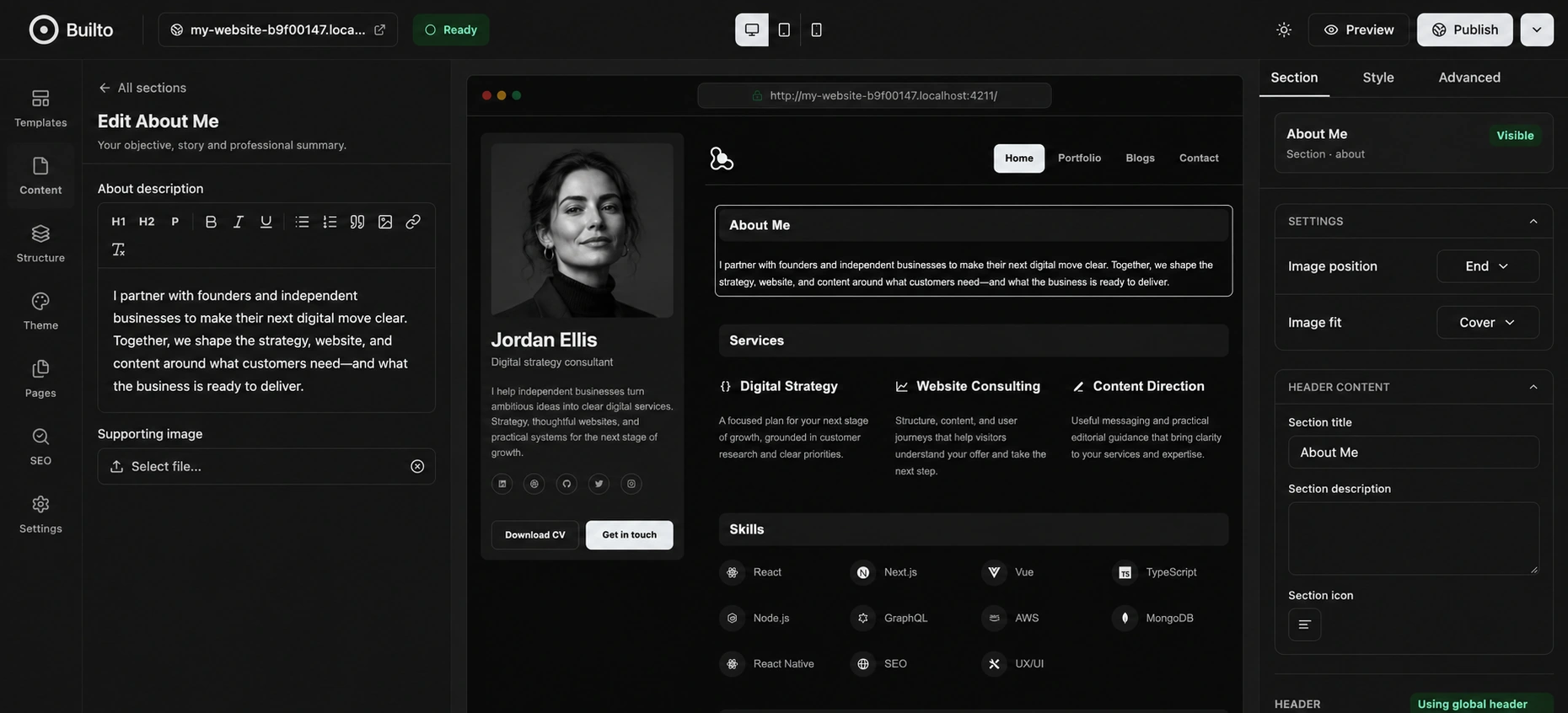
Choose Portfolio Classic or Portfolio Sidebar. Customize the colors, typography, spacing, and section presentation while your website stays visible beside the controls.
Two portfolio foundations.
Classic pairs an overlapping profile with side navigation. Sidebar keeps your profile alongside the content with horizontal navigation.
Consistent styling.
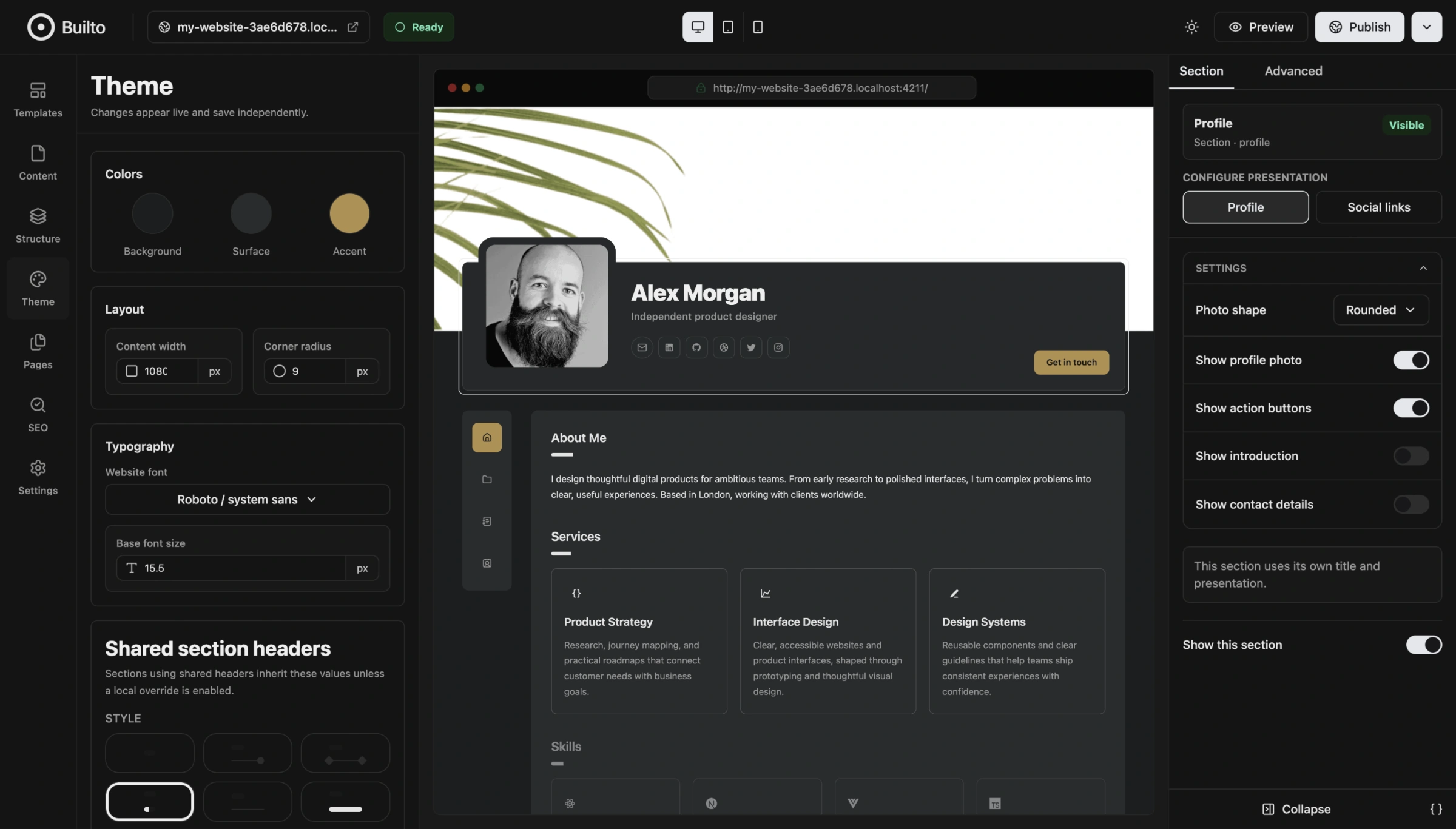
Set website-wide colors, fonts, text size, content width, and corner radius. Shared section headers help keep your pages visually connected.
Control each section.
Choose supported section styles and collection layouts. Adjust presentation, reorder content, and hide sections you do not need.
WEBSITE & PAGE SEO
Manage SEO for your website
and every page.
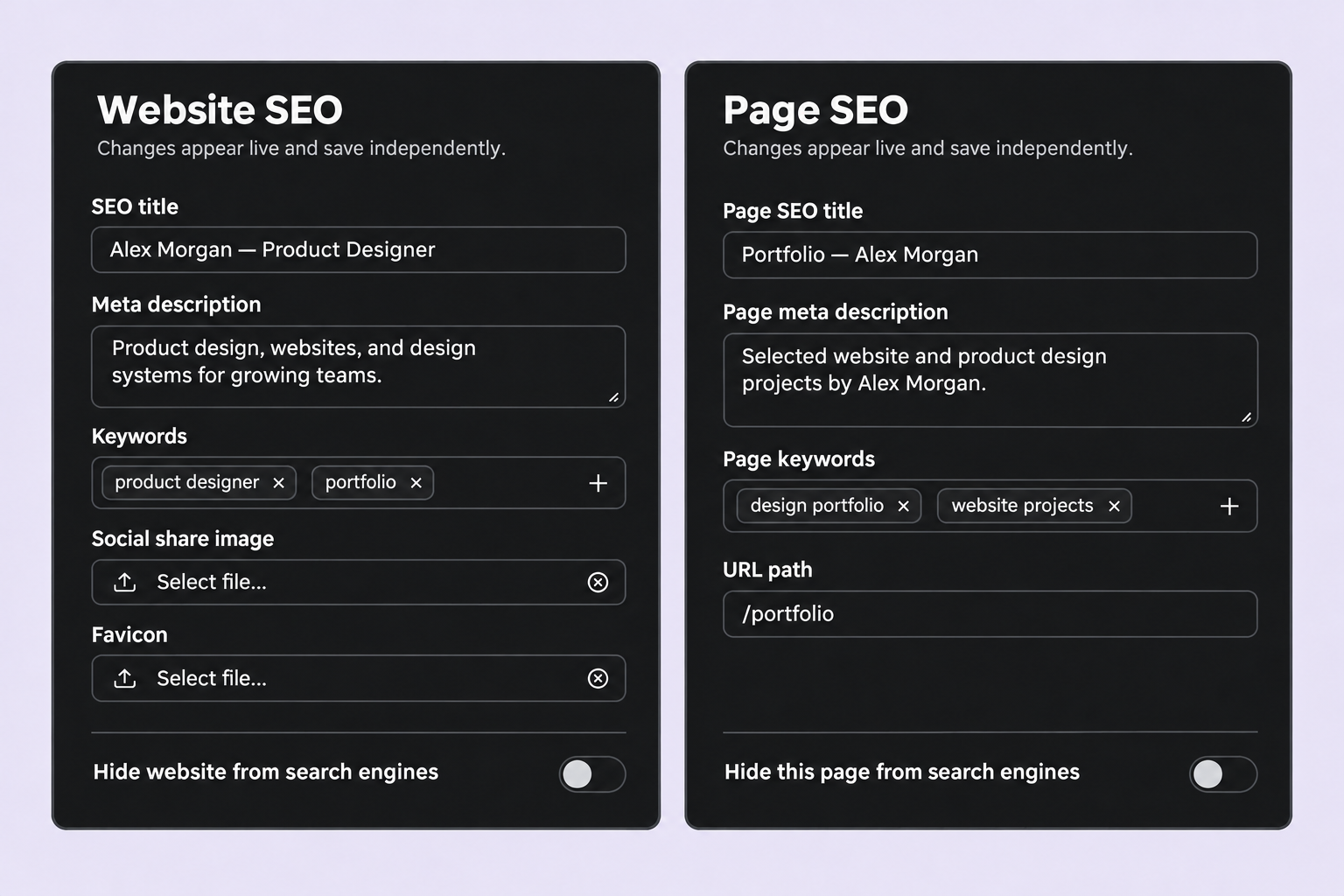
Edit SEO titles, meta descriptions, and keywords for your website and individual pages. Choose which pages search engines can index.
A WEBSITE FOR YOUR WORK
Portfolio websites for your work.
- Designers & creative professionals
- Build a design portfolio with your background, services, selected projects, and a clear way to get in touch.
- Freelancers & consultants
- Create a professional personal website that explains your expertise, experience, and the work you offer clients.
- Developers & job seekers
- Bring projects, skills, education, and experience together. Pair your online portfolio with a resume for applications.
QUESTIONS & ANSWERS
About building
your website.
How do I create a website with Builto?
Open Website Builder and sign in. Choose a portfolio template, adjust its starting colors and typography, and create your website. Replace the sample content, check the preview, and publish when you are ready.
Do I need to write code?
The visual editor provides forms for your content and controls for theme, section styles, layout, and visibility. You can build a portfolio using these controls without writing page code.
Which website templates are available?
The current builder includes Portfolio Classic, with an overlapping profile and side navigation, and Portfolio Sidebar, with a persistent profile sidebar and horizontal navigation.
What can I include in my portfolio?
Add a profile, biography, services, skills, experience, education, awards, testimonials, projects, blog content, and contact information using the sections available in your template. Show the sections relevant to your work and hide the others.
Can I preview my website on a phone?
Yes. Desktop, tablet, and mobile preview controls let you inspect different screen widths. Preview mode removes the editing panels so you can review the page before publishing.
Can I change fonts, colors, and section layouts?
Yes. Theme controls include background, surface, accent color, font, text size, content width, and corner radius. Supported sections also offer styles, layout options, and local presentation settings.
Does Website Builder include SEO settings?
The SEO panel includes a title, meta description, social share image, favicon, and a setting to hide the website from search engines. The Pages panel also provides a separate SEO title, meta description, keywords, and search visibility setting for each page. These controls help describe your site; they do not guarantee indexing or search rankings.
Are editing and publishing separate?
The editor saves changes as you work and displays the save status. Publishing is a separate action in the header. Check that your changes have saved, review your pages and links, then use Publish when ready.
YOUR NEXT CHAPTER, ONLINE
Create your portfolio website.
Choose a template, add your content, and publish your website.