
Business and customer details.
Add your logo, company name, and billing details. Set the invoice number, issue date, and due date for each customer.
BUILTO INVOICE BUILDER
Create an invoice online with your business details, client information, and itemized work. Customize the design, review the total, and download a PDF or share a viewing link.
Four templates · Reusable blueprints · PDF export
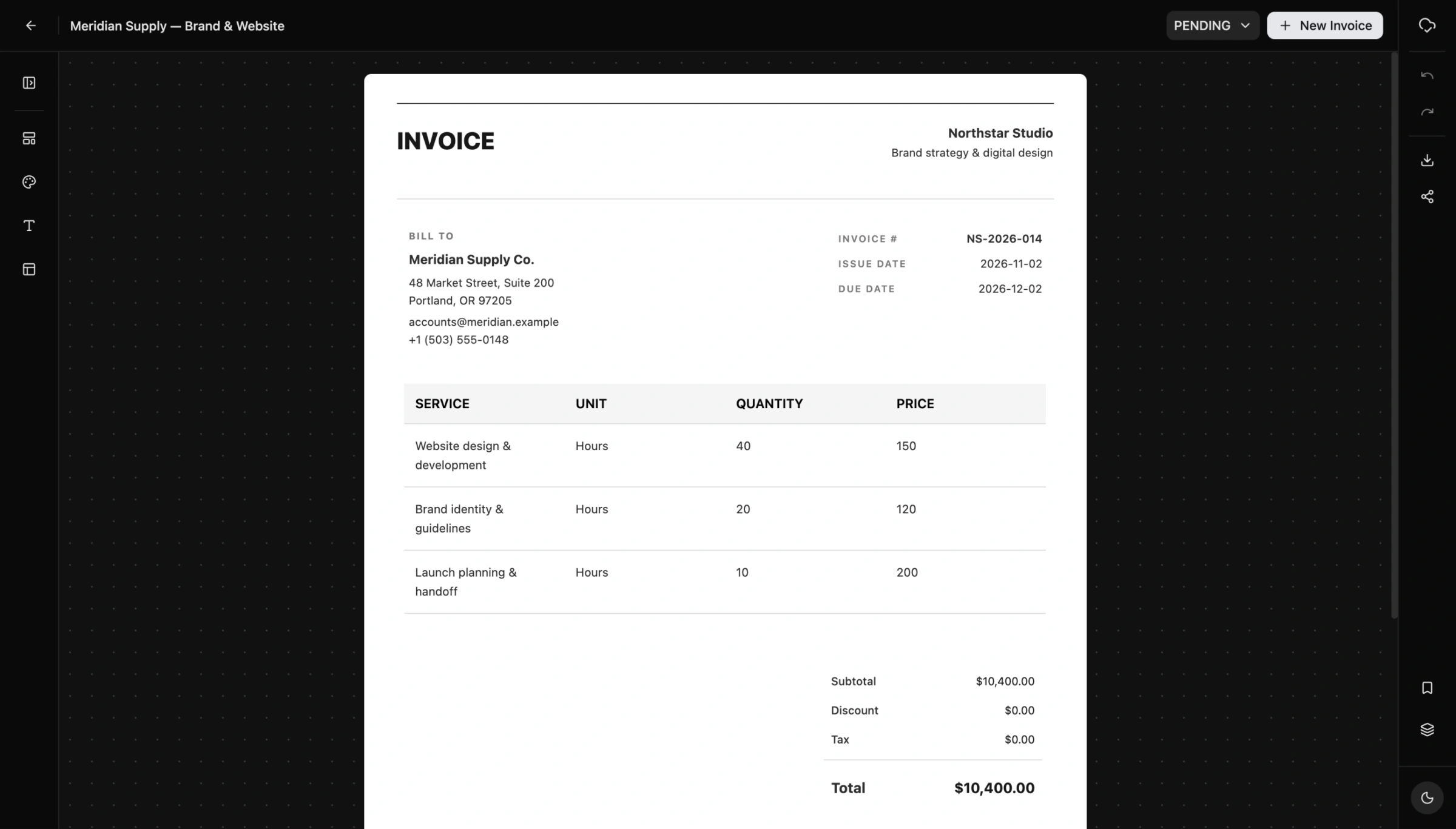
Sign in and create an invoice with Classic, Modern, Minimal, or Formal. Start from a saved blueprint when you have a layout to reuse.
Edit your business, customer, invoice number, dates, and line items directly on the page. Review quantities, prices, discounts, tax, and the total.
Check the invoice on the canvas. Export a PDF, use native printing, or enable a public viewing link when the document is ready.
INVOICE TEMPLATES & EDITOR
Start with Classic, Modern, Minimal, or Formal. Add your business details and the work you delivered directly on the invoice, with the layout visible as you edit.
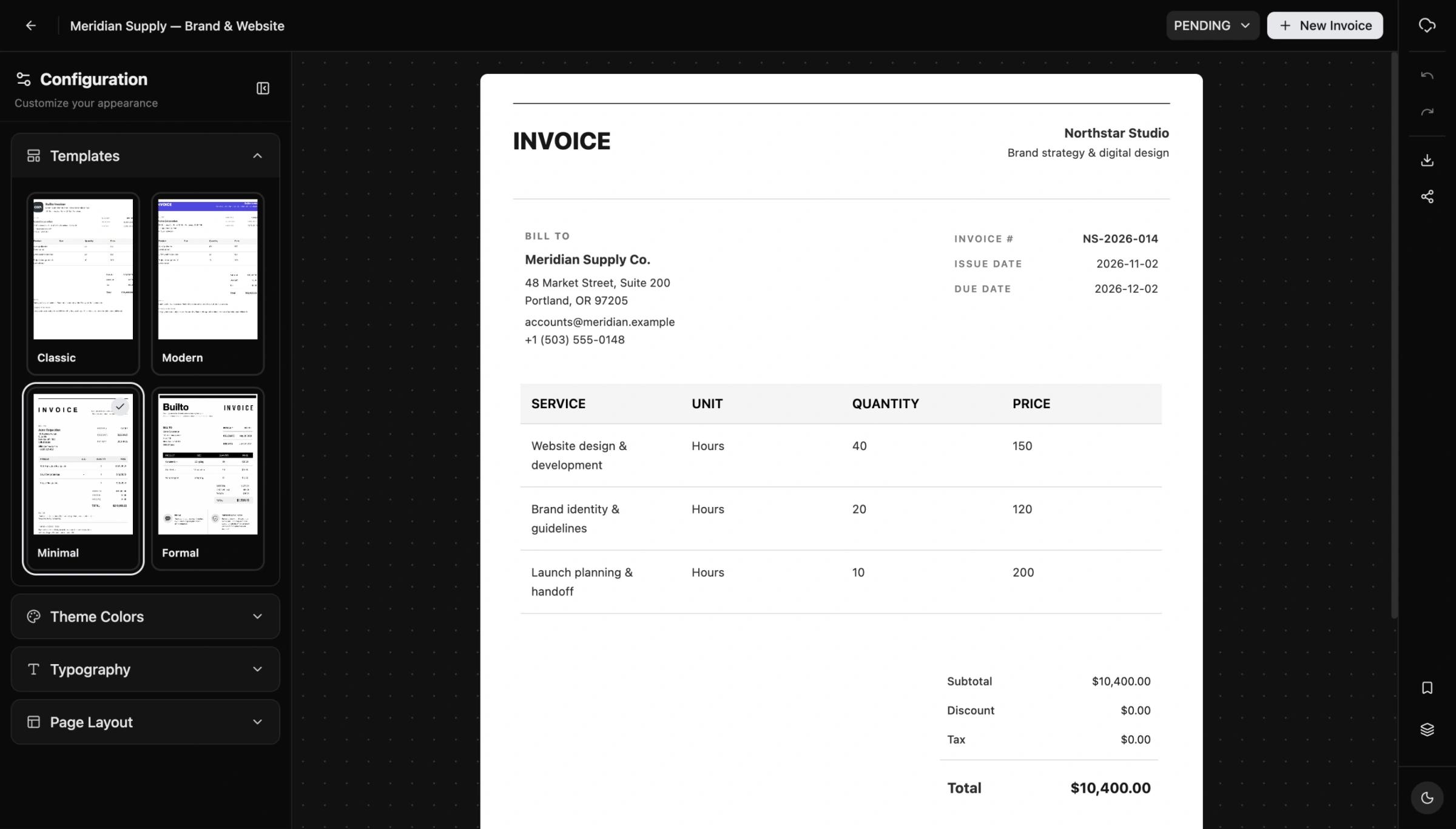
Add your logo, company name, and billing details. Set the invoice number, issue date, and due date for each customer.
Edit services, quantities, prices, and table columns. Review the subtotal, discount, tax, and total, or use saved products in the advanced table.
Include project references, delivery notes, and payment instructions. Show or hide sections and use undo and redo as you refine the invoice.
BRAND COLORS & PAGE LAYOUT
Adjust primary, secondary, and accent colors. Set the base text size, border radius, and page margins while viewing the invoice on the canvas. Keep the controls open or collapse them for more writing space.
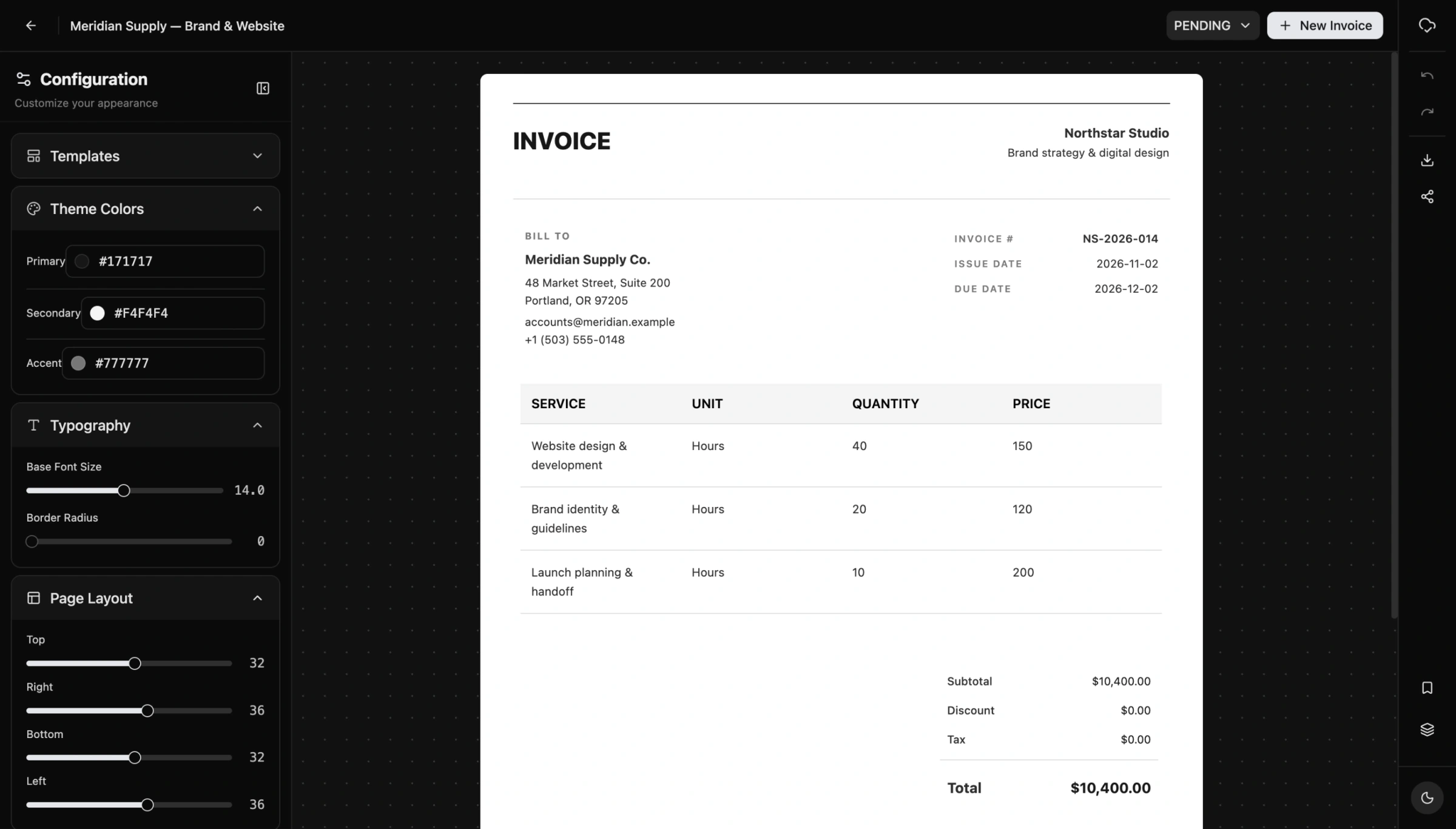
A live document canvas. See the invoice as you edit, with zoom controls for closer inspection.
Save as you work. Changes save to your account. Check the saved status before leaving the editor.
REUSABLE INVOICE BLUEPRINTS
Save your invoice as a blueprint to reuse its business details, line items, notes, terms, and styling. Give the setup a useful name, then choose it when creating your next invoice.
Use a separate starting point for consulting work, design projects, or product orders. Update the client, dates, scope, and amounts for each new document.
How invoice blueprints work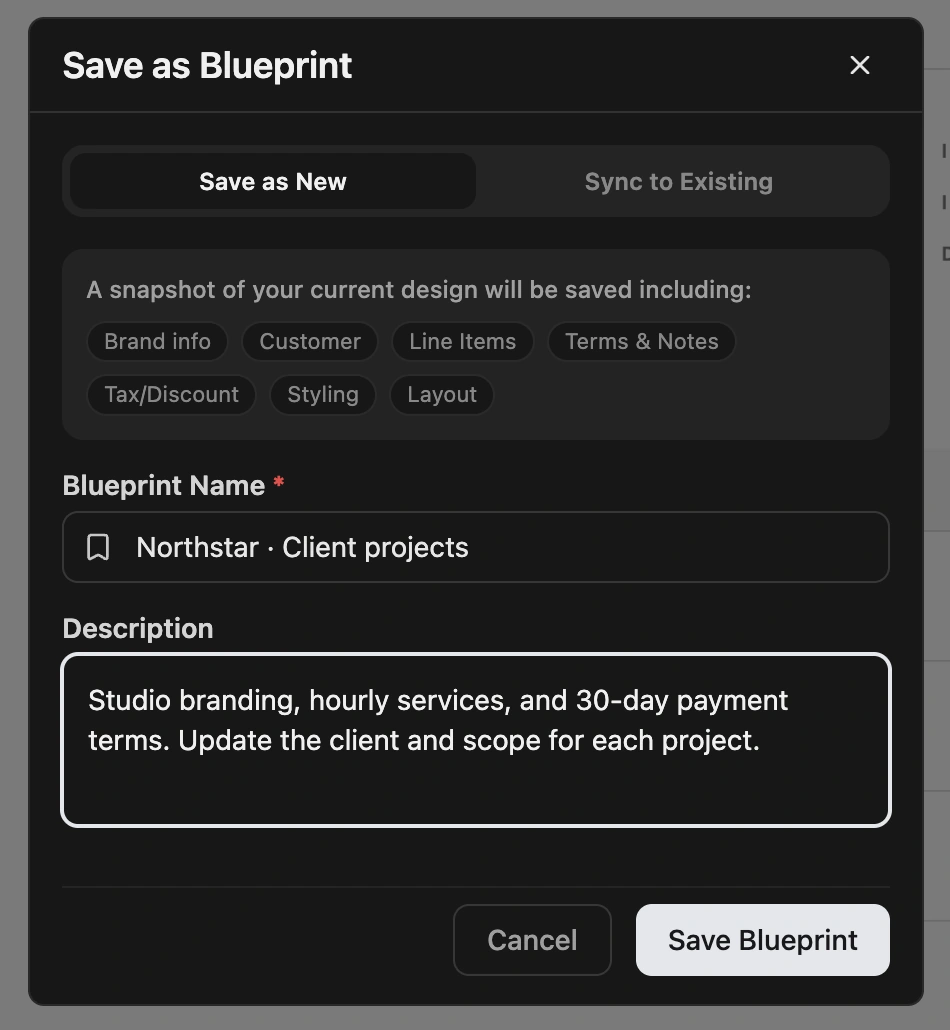
DOWNLOAD, PRINT & SHARE
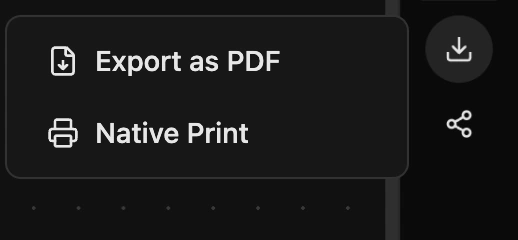
Export the invoice as a PDF or use Native Print. Review the finished document, including totals and page breaks, before sending it to your customer.
Prefer a viewing link? Enable public sharing and copy the invoice link. Anyone with that link can view the document, so check its contents before making it public.
Reopen or duplicate saved invoices, update their status, and record payments received. The dashboard brings billed amounts, receipts, outstanding balances, and invoice activity together.
INVOICES FOR EVERYDAY WORK
A browser-based invoice maker for independent professionals, studios, consultants, and small businesses. Keep the billing document clear, whether you charge by the hour, by the project, or by the item.
Create a freelance invoice for design work, writing, development, or consulting. Describe each service, add hours and rates, and include the payment terms agreed with your client.
Make a business invoice with your company name, logo, billing address, and customer details. Keep invoice numbers, issue dates, and due dates visible on a professional billing document.
Use an itemized invoice for goods or services. Edit the invoice table, quantities, unit prices, and column labels. The advanced table can reuse saved products and services.
Customize an invoice design with brand colors, text size, and page margins. Choose a simple invoice template or a more prominent header, then save your setup as a reusable blueprint.
Download an invoice PDF for your records or to send to a customer. Native Print opens the browser print workflow. Review the finished file, totals, and page breaks before sharing.
Return to saved invoices, duplicate an existing invoice, and update its status. Record payments received, review the outstanding balance, and use the dashboard to follow invoice activity.
QUESTIONS AND ANSWERS
Open Invoice Builder and sign in. Select Create Invoice, choose a system template or one of your blueprints, and edit the sample content. Add your business and customer details, invoice number, dates, and line items. Review the total before exporting or sharing.
Builto includes Classic, Modern, Minimal, and Formal. You can select a template at creation or switch from the editor’s Templates panel. Changing templates applies the new layout and default styling, so review the document afterward.
Yes. The brand section supports a logo and business information. The configuration panel includes primary, secondary, and accent colors, base font size, border radius, and page margins. Individual section controls depend on the template.
The line-item table feeds the invoice calculations. The summary supports subtotal, discount, tax, total, and additional rows. Some summary values can also be overridden manually. Always review the amounts and the tax treatment appropriate to your invoice.
A blueprint is a reusable starting point containing your invoice data and configuration. Use Save as Blueprint in the editor, give it a name, and select it when creating another invoice. Update client details, dates, and amounts for each new document.
Yes. Open Export / Print and choose Export as PDF or Native Print. Review the downloaded document or print preview, including images, amounts, and page breaks, before sending it to a customer.
The Share control lets you enable Public to Everyone and copy a viewing link. Anyone with the link can view the public document. Check the billing information before making it public; you can turn sharing off again.
The editor saves changes to your account and shows saving, saved, or unsaved status. Wait for Saved to cloud before leaving. Return through the invoice list to open, duplicate, or manage your documents.
You can record payments received and manage invoice status in the app. Payment records help track paid and outstanding amounts. Recording a payment documents an existing transaction; it does not collect money from a customer or charge a card.
Yes. Sign in to create and save invoices, maintain customer and product records, and return to your work. This public product page is available without an account.
YOUR NEXT INVOICE
Choose a template, add the details, and make it yours.