
How to Make an Invoice: Step-by-Step Guide + Example
Finished a job and need to bill your client? Follow a freelance invoice example from line items and payment terms to the PDF and email you send.
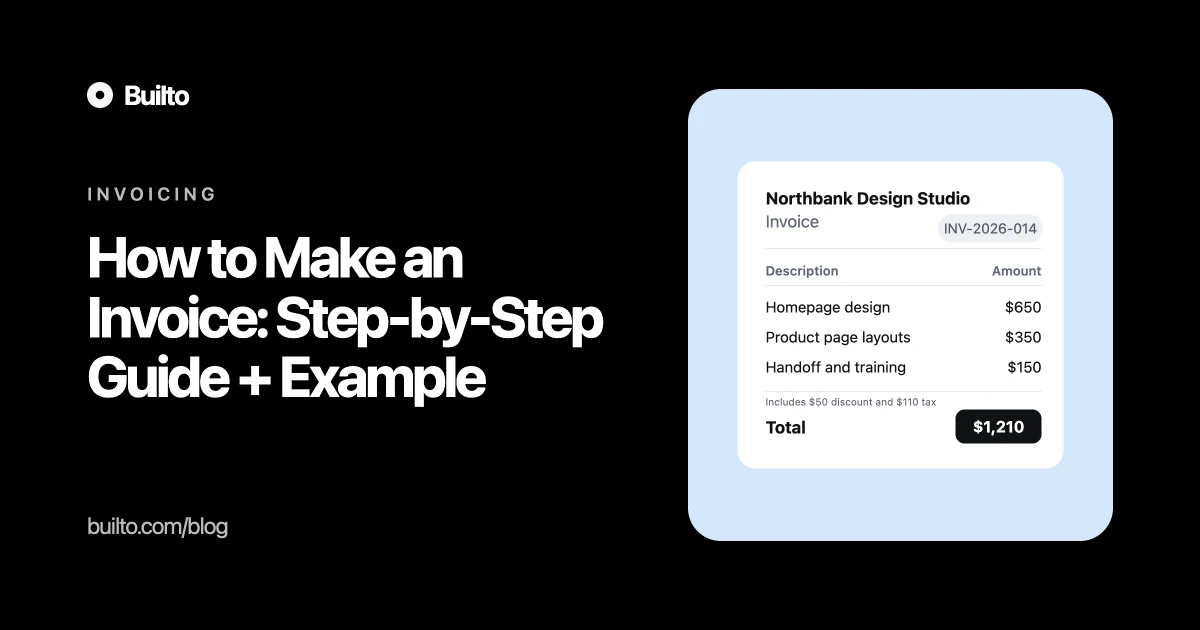
You’ve finished the work and your client says, “Send me an invoice.” Start with the price you agreed to. Put the work and the price on a document marked Invoice, add both parties’ billing details, give it a unique number, and state the exact due date and how to pay. Save it as a PDF and send it to the person who pays the bills.
Here’s how that works for a freelance design job, from the first email to the payment reminder.
1. Ask where the invoice should go
Before you open a template, ask your client one question: “What billing name should I use, and where should I send the invoice?” The person who approved the work may need to forward it to finance. Ask whether finance needs a billing address, purchase order number, vendor registration, or an upload to a supplier portal.
Check the price, currency, and payment terms in your agreement while you have it open. If you agreed to bill at a milestone, invoice only the portion due at that milestone.
2. Turn the job into invoice line items
Imagine Northbank Design Studio has delivered a homepage, two product page layouts, and a two-hour handoff for Willow Books. A single line that says “Design services” makes the client look up the agreement. Three lines let them match the bill to the work they approved.
Work delivered | Quantity × rate | Amount (USD) |
|---|---|---|
Homepage design | 1 × $650 | $650 |
Product page layouts | 2 × $175 | $350 |
Handoff and training | 2 hours × $75 | $150 |
Subtotal | $1,150 | |
Agreed discount | −$50 | |
Illustrative tax | 10% of $1,100 | $110 |
Total due | $1,210 |
For a fixed price, use a quantity of one and name the deliverable. For hourly work, show the hours and rate. For a milestone, name the milestone and show the amount due for that stage.
In this example, the discount reduces the subtotal to $1,100 and tax adds $110. Check your local tax authority’s rules before charging VAT, GST, or sales tax. The rate, which items are taxable, and how discounts affect tax depend on the transaction. If the client already paid a deposit, show the payment and the remaining balance separately.
3. Fill in the invoice details that make it payable
From and bill to. Use Northbank Design Studio and Willow Books in this example. On your own invoice, add the billing contacts, addresses, and registration or tax details that apply.
Invoice number. Use a unique reference such as INV-2026-014. Your next invoice could be INV-2026-015. Keep issued numbers in one record, and check local rules if you need to correct an issued invoice.
Issue date and due date. An invoice issued on 10 November 2026 on Net 30 terms is due 10 December 2026 if the agreement counts from the issue date. Net 15 normally means 15 calendar days. Due on receipt means payment is requested when the customer receives it. Put the actual date on the document.
Amount and payment instructions. Write “USD $1,210 due” and tell the client how to pay. For a bank transfer, ask them to use the invoice number as the payment reference. Share payment details through the channel you agreed to use.
4. Make the invoice online and save a PDF
If you already have a document or spreadsheet template, you can use it. If you’re choosing a free invoice generator, check which fields you can edit and whether you can download a copy. Builto Invoice Builder requires an account.
Open Builto Invoice Builder, sign in, and select Create Invoice from the Invoices screen.
In Configuration → Templates, choose Classic, Modern, Minimal, or Formal. You can browse the invoice templates first.
Replace the sample details, enter your line items, and check the amount due.
From the download menu, select Export as PDF. You can also use the share control if your client prefers a link.
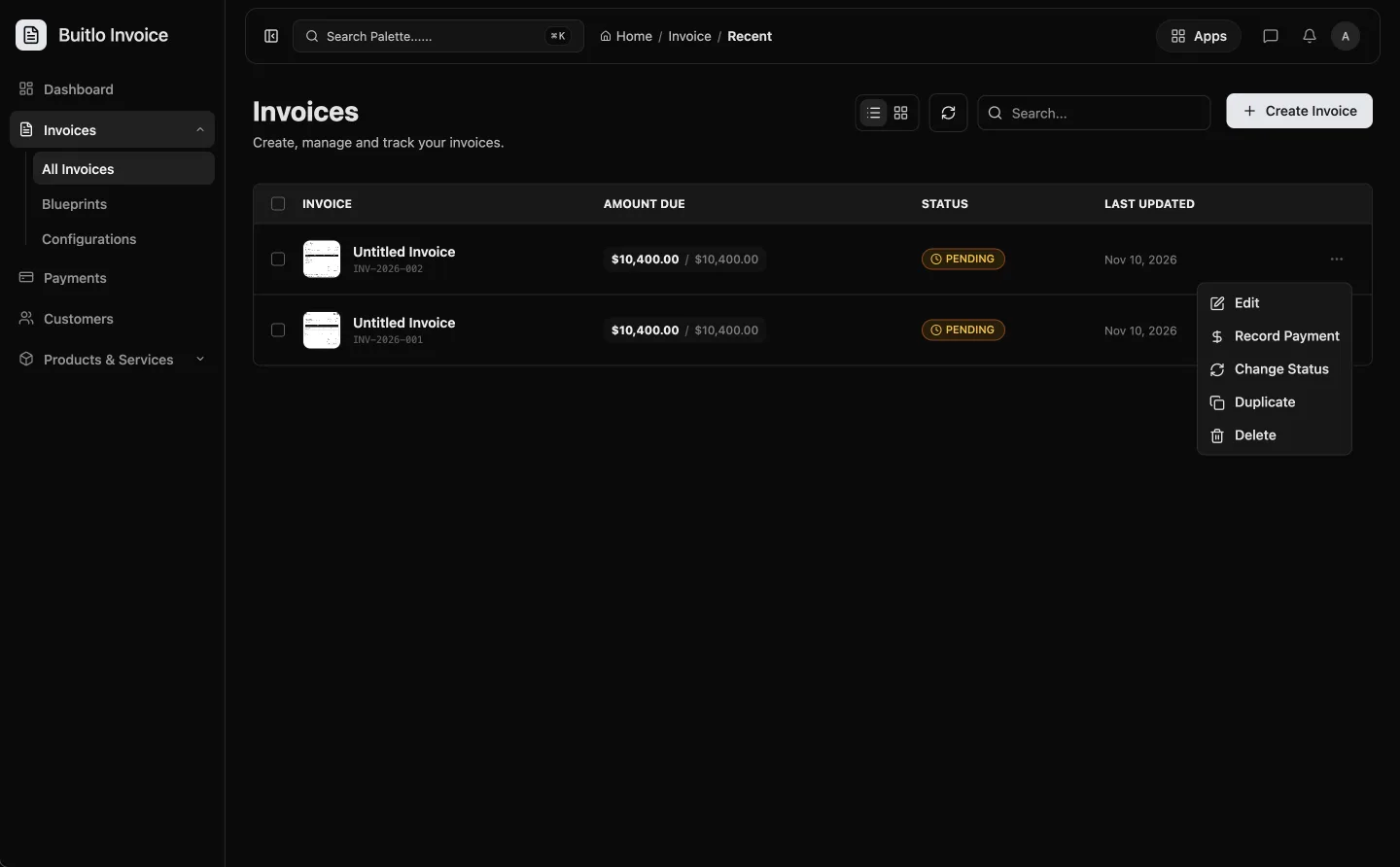
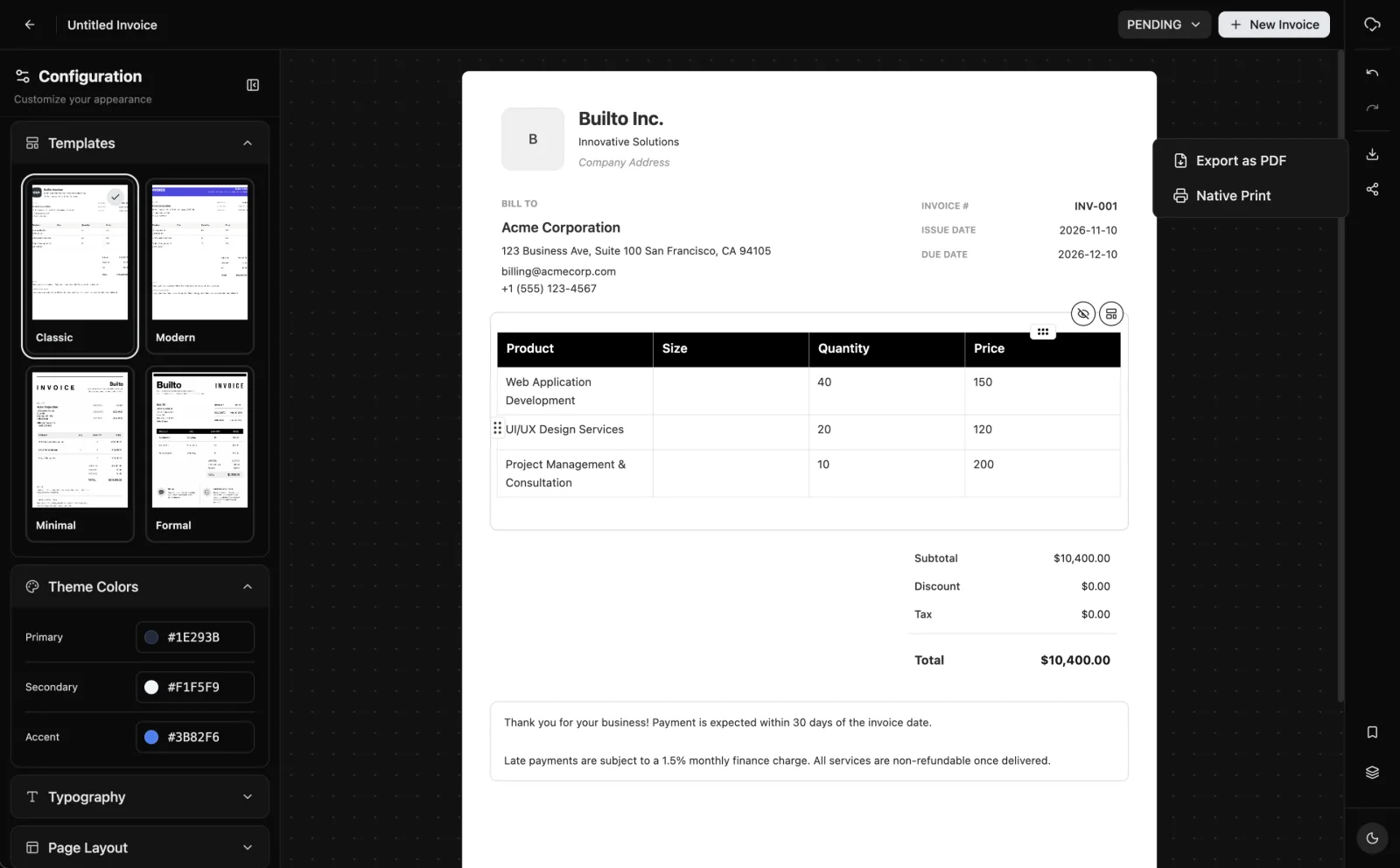
Open the exported PDF before sending it. Check that the customer name, dates, and total are readable, and that no sample notes remain. Name the file with the invoice number so the client can find it later.
5. Send an invoice email your client can act on
Subject: Invoice INV-2026-014 · Willow Books website design
Hi Willow Books team,
I’ve attached invoice INV-2026-014 for the homepage, product page layouts, and handoff. The total is USD $1,210, due 10 December 2026. The invoice includes payment instructions. Please use INV-2026-014 as the payment reference.
Thanks,
Northbank Design Studio
If it goes past the due date, reply in the same thread. Attach the invoice again and ask whether anything is holding up payment. Confirm the remaining balance before you send a reminder, especially if the client paid part of it.
Questions about your first invoice
What is the difference between an invoice and a receipt?
An invoice requests payment and lists what the customer owes. A receipt records a payment that has already been made.
Can I make an invoice in Word or Excel?
Yes. Use a template, enter the billing details and line items, check the math, and export a PDF. A spreadsheet is handy if you regularly calculate quantities and rates.
What if my client asks for a purchase order number?
Ask the client for the number they issued and enter it separately from your invoice number. Their finance team can then match your bill to their order.
What if I sent the wrong invoice?
Tell the client which invoice is affected and what was wrong. Keep a record of the original and follow the correction process that applies to your business and location.
Try it in Builto
Ready to put this into practice?
Create and send professional invoices. Free to start, no setup needed.